
12 November 2026 · VRAMfarm team
H100 vs A100 vs RTX 4090: when a data-centre GPU is worth it for AI
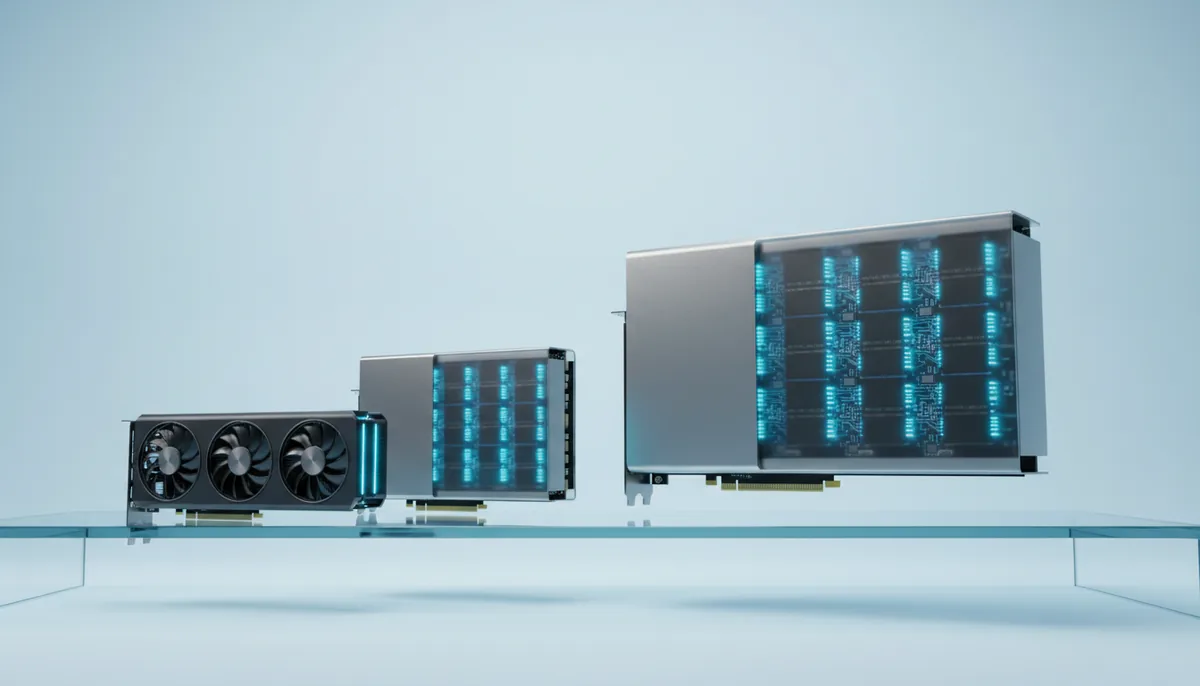
An RTX 4090 makes a Flux image for a fraction of what an H100 charges for the same image, yet it cannot load a 70B model at all. That is the whole comparison in two sentences: the consumer card wins on price per job for anything that fits in 24 GB, and the data-centre cards win when the model, the batch or the training run needs 80 GB and fast links between cards. The 4090 rents from €0.59 an hour, the A100 80 GB from €1.46 and the H100 from €3.90.
What separates a data-centre card from a consumer card
| RTX 4090 | A100 80 GB | H100 SXM | |
|---|---|---|---|
| Architecture | Ada Lovelace (2022) | Ampere (2020) | Hopper (2022) |
| Memory | 24 GB GDDR6X | 80 GB HBM2e | 80 GB HBM3 |
| Memory bandwidth | 1,008 GB/s | about 2,000 GB/s | 3,350 GB/s |
| BF16 tensor compute, dense | about 165 TFLOPS | 312 TFLOPS | 989 TFLOPS |
| FP8 compute | Yes | No | Yes, about 1,979 TFLOPS dense |
| FP64 (scientific computing) | about 1.3 TFLOPS | 19.5 TFLOPS (tensor) | 67 TFLOPS (tensor) |
| Link between cards | PCIe only | NVLink, 600 GB/s | NVLink, 900 GB/s |
| Board power | 450 W | 400 W | up to 700 W |
| Rental price | from €0.59/h | from €1.46/h | from €3.90/h |
The 4090’s compute figure is with FP32 accumulation, as used in training; with FP16 accumulation it doubles, which some inference engines use. The H100 figures are for the SXM version; the PCIe card has about 2 TB/s and roughly a quarter less compute, and the H100 NVL has 94 GB at 3.9 TB/s. The catalogue lists all three under H100 and shows the exact name for each machine before you launch.
Four things set the data-centre cards apart, and only the first one matters for most people:
- Memory size. 80 GB holds a 70B language model in 4-bit with a long context, a 32B model in fp8, or a full fine-tune of a 7–8B model. On 24 GB, none of those fit.
- Memory bandwidth. HBM is two (A100) to three (H100) times faster than the 4090’s GDDR6X. Language models generate each token by reading all their weights, so the H100 generates text roughly three times faster than a 4090 with the same model, if the model fits on both.
- Links between cards. SXM boards connect four or eight cards over NVLink at 600–900 GB/s. Consumer cards share data over PCIe at about 25–32 GB/s, and the 4090 does not support direct peer-to-peer transfers at all. For multi-GPU training this is the difference between scaling well and barely scaling; see multi-GPU training basics.
- FP64 and 24/7 design. Simulations and scientific codes that need double precision run 15–50 times faster on an A100 or H100. Data-centre cards are also built for months of continuous load.
What does not separate them: software. PyTorch, vLLM and ComfyUI run on all three with the same code.
What each card is best at
RTX 4090: anything that fits in 24 GB. Flux, SDXL, Qwen-Image, HiDream, Wan 2.2 5B, LoRA training, chat with models up to 32B in 4-bit. Image models are limited by compute, and per euro the 4090 has more of it than either data-centre card. It also computes fp8 natively, which the A100 does not.
A100 80 GB: the cheapest 80 GB. It is the older generation and has no fp8, but its memory is what most people rent it for: a 70B model in 4-bit with room for long documents or several users, QLoRA on a 70B model, a full fine-tune of an 8B model with an 8-bit optimiser, or a 32B model in 16-bit. It is also a good card for older projects pinned to an old CUDA stack, since sm_80 is supported by every PyTorch release of the last five years.
H100: the fastest per card. About three times the A100’s dense BF16 compute, fp8 through NVIDIA’s Transformer Engine, and 3.35 TB/s of bandwidth. Rent it when the job is large and your time matters: serving a 70B model to many users, a training run that would take days on an A100, or a multi-GPU run on an SXM machine where NVLink keeps eight cards busy.
Speed and cost per job
The table uses the same assumptions as the cost per image, video and token article. The A100 rows are estimates from its specs and published measurements, given as ranges. Real numbers depend on resolution, prompt length, batch size and software versions.
| Job | RTX 4090 | A100 80 GB | H100 SXM |
|---|---|---|---|
| 1,000 Flux.1 dev images, fp8, 20 steps | 4–6 per minute: about 3 h 20 min, €1.96 | 3–5 per minute: about 4 h 10 min, €6.09 | 8–12 per minute: about 1 h 40 min, €6.51 |
| Flux.1 dev LoRA, 2,000 steps | 1–2.5 h: €0.89 | 1–2 h: €1.90 | 0.5–1 h: €2.93 |
| 70B in 4-bit, one user | does not fit | 25–35 tokens/s | 35–50 tokens/s |
| 1M output tokens, 70B in 4-bit, vLLM batched | does not fit | 300–700 tokens/s: about 37 min, €0.90 | 600–1,500 tokens/s: about 19 min, €1.21 |
Three patterns come out of it:
- Images: the 4090 is cheapest by a wide margin. The H100 is about twice as fast, but it costs several times more per hour. The A100 is slower than a 4090 on fp8 image models because it has no fp8 compute.
- Training a model that fits in 24 GB: the 4090 again. The A100 has more tensor compute on paper but trains small models at roughly the 4090’s speed in practice; the H100 is about twice as fast. Neither is usually cheaper per finished LoRA.
- Large language models: the data-centre cards. The H100 finishes the same million tokens in about half the time, but its hourly price is usually several times the A100’s, so the A100 often comes out cheaper per token; the two cost cells show today’s answer. The H100 is the better choice when the batch has to finish sooner or when you serve users who are waiting.
Prices in the catalogue are live, so redo the last column with the current prices on the pricing page before a big job.
Memory decides first, then speed
The order of the decision is simple: find what your model needs, then pick the cheapest card that holds it, and only then look at speed.
| What you run | Memory needed | Card |
|---|---|---|
| SDXL, Flux, Qwen-Image, HiDream, Wan 2.2 5B | 10–24 GB | RTX 4090 (or RTX 3090) |
| Language models up to 32B in 4-bit, chat | 20–24 GB | RTX 4090 |
| Wan 2.2 14B video, Qwen-Image without fp8 | 30–48 GB | 32 GB RTX 5090 or 48 GB card |
| 70B in 4-bit, normal context | about 43 GB + cache | 48 GB card, or A100 / H100 |
| 70B in 4-bit, long context or vLLM serving | 60–80 GB | A100 or H100 |
| 70B in fp8 | about 71 GB + cache | H100, better H200 |
| Full fine-tune of an 8B model | about 70 GB with 8-bit optimiser | A100 or H100 |
| QLoRA on a 70B model | about 48 GB with short sequences | A100 or H100 |
The step between 24 and 80 GB has its own cards: the 32 GB RTX 5090 and 48 GB cards such as the RTX A6000 (from €0.72) and L40S (from €1.06). For a 70B model in 4-bit at normal context, a 48 GB card is often the cheapest option of all. The VRAM picker gives the number for a specific model.
Several cards: where NVLink starts to matter
If one card is not enough, the choice of card changes again. Two or four 4090s in one machine can hold a larger language model split across the cards, and vLLM or llama.cpp handle that well, because inference sends relatively little data between cards. Training is different: data-parallel training exchanges gradients after every step, and sharded training (FSDP, DeepSpeed ZeRO-3) moves the weights themselves. Over PCIe without peer-to-peer, as on the 4090, four cards may deliver only two or three cards’ worth of speed. On an H100 SXM or A100 SXM machine, the NVLink fabric lets eight cards scale much closer to eight times one card.
So the rule for multi-GPU work: consumer cards for inference and small data-parallel runs, SXM data-centre cards for serious training. The machine name in the catalogue tells you which you are getting: “SXM” or “SXM4” in the name means the cards sit on a board built for NVLink, and after launch nvidia-smi topo -m shows how they are actually connected.
A quick way to choose
- Your model fits in 24 GB: rent a 4090. It is the cheapest per image and per LoRA, and quick enough for chat.
- It needs 32–48 GB: look at the RTX 5090 and 48 GB cards before jumping to 80 GB.
- It needs 80 GB and you can wait: the A100 gives the most memory per euro.
- It needs 80 GB and speed matters, or you need fp8: the H100.
- It needs more than 80 GB on one card: the H200 (141 GB) or B200 (192 GB), or several cards.
Billing is per minute after a 15-minute minimum, so a test on the bigger card costs little. Running the same short job on two cards and comparing the minutes is the most reliable benchmark you can get for your own workload. The H100 page shows the machines available right now, next to the A100 and other cards in the same range.