
12 November 2026 · VRAMfarm team
RTX 3090 vs RTX 4090 for AI: same 24 GB, what you actually pay per job
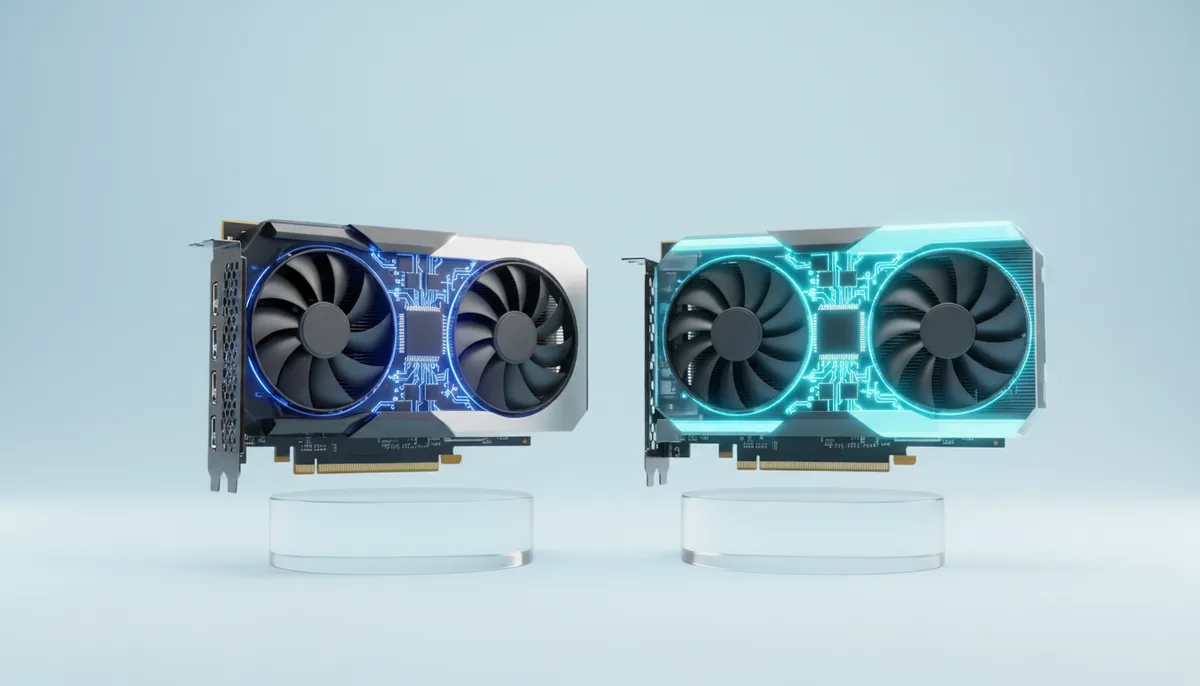
Both cards have 24 GB of video memory, so an RTX 3090 and an RTX 4090 run exactly the same models. What the 4090 buys you is speed, and how much depends on the job: about 1.6–2.5 times faster for Flux and SDXL images, about twice as fast for LoRA training, and only 10–20% more tokens per second when you chat with a language model. The 3090 rents from €0.30 an hour and the 4090 from €0.59, so which card is cheaper for your job comes down to one comparison: the price ratio against the speed ratio.
The specs that matter, side by side
| RTX 3090 | RTX 4090 | |
|---|---|---|
| Architecture | Ampere (2020), sm_86 |
Ada Lovelace (2022), sm_89 |
| VRAM | 24 GB GDDR6X | 24 GB GDDR6X |
| Memory bandwidth | 936 GB/s | 1,008 GB/s |
| FP16/BF16 tensor compute, dense | about 71 TFLOPS | about 165 TFLOPS |
| Native FP8 | No | Yes |
| L2 cache | 6 MB | 72 MB |
| Board power | 350 W | 450 W |
| NVLink | 2-way bridge connector | None |
| Rental price | from €0.30/h | from €0.59/h |
The compute row uses FP32 accumulation, the mode PyTorch normally uses for training and most inference.
Two rows explain almost every benchmark you will find. Tensor compute more than doubles, so everything limited by compute (diffusion models, training, reading a long prompt) runs roughly twice as fast. Memory bandwidth grows by only 8%, so generating text one token at a time barely changes: for each new token the card reads the whole model from memory, and both cards read at nearly the same speed. The 4090’s much larger L2 cache adds a little on top, which is why the real gain lands at 10–20% rather than 8%.
FP8 is the third difference. Both cards can load fp8 weights, so Flux, Qwen-Image and Wan in fp8 take the same memory on either. Only the 4090 computes in fp8; the 3090 converts the weights to 16-bit first. In ComfyUI, the --fast start option uses the 4090’s fp8 maths, and that is where the top of the 2.5× range comes from.
Power matters if you are buying a card, because 100 W more runs for years on your electricity bill (the rent or buy calculation includes it). On a rented machine, electricity is part of the hourly price, and per finished job the 4090 often uses less energy because it is done sooner.
Images and video: the 4090 is 1.6–2.5× faster
Diffusion models spend most of their time on matrix maths, so they follow the compute row. The figures below assume 1024×1024, batch size 1 and a ComfyUI queue that keeps the card busy, the same assumptions as in the cost per image article.
| 1,000 images | RTX 3090 | RTX 4090 | Cost on the 3090 | Cost on the 4090 |
|---|---|---|---|---|
| Flux.1 schnell fp8, 4 steps | 6–10 per minute: about 2 h 05 min | 12–25 per minute: about 1 h 07 min | €0.62 | €0.65 |
| Flux.1 dev fp8, 20 steps | 1.5–2.5 per minute: about 8 h 20 min | 4–6 per minute: about 3 h 20 min | €2.50 | €1.96 |
| SDXL, 30 steps | 6–9 per minute: about 2 h 23 min | 12–18 per minute: about 1 h 07 min | €0.71 | €0.65 |
The cost columns use today’s prices, so they stay current. Look at them before you decide: depending on the day’s catalogue, the slower card can come out cheaper per image, about equal, or more expensive.
Video follows the same pattern. Wan 2.2 5B fits 24 GB and runs on both cards, and our ready-made video app accepts either. The 4090 renders a 5-second 720p clip in about 4–9 minutes; on a 3090 expect roughly twice that, because video diffusion is just as compute-bound as images. Wan 2.2 14B needs more than 24 GB on either card (see the VRAM guide).
What this means in practice: when you sit in front of ComfyUI and wait for each result, the 4090 halves your waiting, and your time is usually worth more than the price difference. When a batch runs overnight and nobody waits, cost per image is all that counts.
Language models: nearly the same speed
Here the bandwidth row decides. A 4-bit 32B model such as Qwen3 32B is about 20 GB. Dividing bandwidth by model size gives a ceiling of about 47 tokens per second on the 3090 and 50 on the 4090; real numbers land lower on both.
| Job | RTX 3090 | RTX 4090 | Cost on the 3090 | Cost on the 4090 |
|---|---|---|---|---|
| 1M output tokens, Qwen3 32B 4-bit, one user (Ollama) | 25–35 tokens/s, 30 used: 9 h 16 min | 30–40 tokens/s, 35 used: 7 h 56 min | €2.78 | €4.68 |
| 10M output tokens, 8B model in BF16, vLLM with 32–64 parallel requests | 800–2,000 tokens/s, 1,300 used: 2 h 08 min | 1,000–3,000 tokens/s, 2,000 used: 1 h 23 min | €0.64 | €0.82 |
For one person chatting, the gain is small enough that the 3090 is usually the cheaper card per token by a wide margin. With many parallel requests, the work shifts towards compute and the 4090 pulls ahead by about 1.5×.
There is one more case where the 4090 clearly wins: long prompts. Reading a 20,000-token document before answering is compute-bound, so the 4090 processes the prompt roughly twice as fast and the first word of the answer arrives in half the time. If you summarise long documents or run retrieval (RAG) over big chunks, that difference is noticeable.
Our ready-made private chat with Qwen3 32B runs on either card. It is set to an 8k context with an 8-bit KV cache, because with a longer default context part of the model spilled to the CPU and the speed fell to a few tokens per second. The same limit applies to both cards: same memory, same ceiling.
This also answers a common question: which matters more for LLMs, VRAM or bandwidth? VRAM decides whether the model runs at all; bandwidth decides how fast it talks. Between these two cards the VRAM is equal and the bandwidth almost equal, so the chat experience is almost the same. For noticeably faster text, the next step is the 32 GB RTX 5090 with 1,792 GB/s.
Training and LoRA: about twice as fast on the 4090
Training is compute-bound, so the 4090’s extra tensor cores count fully. A typical Flux.1 dev LoRA (20–30 captioned images, about 2,000 steps, the base model loaded in 8-bit so it fits 24 GB):
| Run | RTX 3090 | RTX 4090 |
|---|---|---|
| Flux.1 dev LoRA, 2,000 steps | 2.5–4 h, 3 h used: €0.90 | 1–2.5 h, 1.5 h used: €0.89 |
| QLoRA on an 8B language model | runs, roughly half the speed | runs |
Add 15–25 minutes on either card to install the trainer and download the base model; each launch is billed for at least 15 minutes.
Because the memory is the same, the same trainer settings (resolution, batch size, gradient checkpointing, 8-bit base) work on both. A practical pattern is to debug the dataset and config on a 3090, then run the long training on whichever card is cheaper per hour of progress that day. Full fine-tunes of 8B models and up need more than 24 GB on either card, which means an 80 GB card or several cards.
Working out which card is cheaper for your job
Cost per job is price per hour × hours. So the 4090 is cheaper exactly when its hourly price is less than its speed advantage times the 3090’s price.
| Job type | 4090 speed vs 3090 | The 4090 is cheaper per job when it costs less than |
|---|---|---|
Flux, Qwen-Image or Wan in fp8 with --fast |
2–2.5× | 2–2.5× the 3090’s hourly price |
| Images without the fp8 speed-up, SDXL | 1.6–2× | 1.6–2× the 3090’s price |
| LoRA and other training | about 2× | about 2× |
| LLM serving with many parallel requests | about 1.5× | about 1.5× |
| LLM chat, one user | 1.1–1.2× | 1.1–1.2× |
Right now that means comparing €0.59 with €0.30. Prices in the catalogue are live and move during the day, so check the pricing page when you launch; the price per minute is then fixed for that server until you stop it.
Then add your own time. Saving five hours on a 1,000-image batch is worth something even if the cost per image is a few cents higher.
When the 3090 is the smart choice
- Chatting with or serving language models up to 32B. Same memory, nearly the same tokens per second, a much lower price per token.
- Overnight and weekend batches. Nobody waits, so cost per job is the only number, and the 3090 often wins it.
- Setting things up. Installing a trainer, cleaning a dataset, building a ComfyUI workflow: the GPU sits idle most of that time, so do it on the cheaper card and switch for the real run.
- When the 4090s are taken. The catalogue shows how many machines of each type are free.
And when the 4090 is worth it: interactive image work, fp8 image and video models, training where you are waiting for the result, and long prompts. If you need more than 24 GB, neither card helps; the RTX 4090 page lists the bigger options next to it.
How to tell when to move up
Starting on the smaller card and moving up is a good habit, as long as you know what to look for. Run nvidia-smi -l 2 in a second terminal while the job works:
- “CUDA out of memory”: you need more VRAM, not a faster card. A 4090 has the same 24 GB and will fail the same way.
- GPU utilisation at 90–100% and you are waiting: the card is the bottleneck, and a faster card (4090, then 5090) helps.
- Utilisation low or jumping between 0 and 100%: something else is slow, usually data loading, the CPU or a model being swapped in and out. A faster GPU changes nothing; fix the pipeline first.
If it is the second case, stop the 3090, save the folder and launch a 4090 with the same setup. You lose a few minutes and the 15-minute minimum of the new launch, and you know the speed-up is real.