
GPU for LLMs: run your own model from €0.30 an hour
A 24 GB card (RTX 3090 or 4090) runs models up to about 32B parameters in 4-bit, a 48 GB card handles 70B in 4-bit at normal context, and 80 GB cards (A100, H100) take 70B with long context or many users. On VRAMfarm that starts at €0.30 an hour, billed by the minute, and vLLM gives you an OpenAI-compatible API in a few minutes.
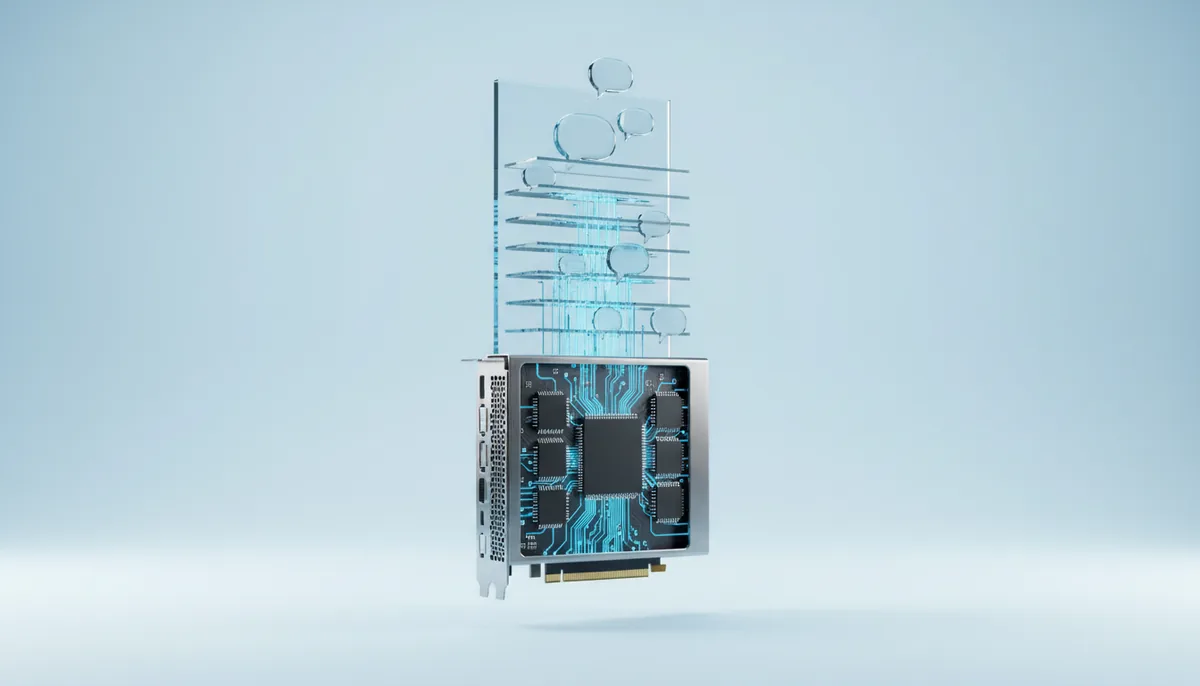
Which model fits and how fast it answers
| GPU | Memory | Largest model, 4-bit | 8B, tokens/s | 32B, tokens/s | 70B, tokens/s | Price |
|---|---|---|---|---|---|---|
| RTX 3090 | 24 GB | 36B | ~117 | ~29 | — | €0.30/h |
| RTX 4090 | 24 GB | 36B | ~126 | ~32 | — | €0.59/h |
| RTX 5090 | 32 GB | 48B | ~224 | ~56 | — | €0.76/h |
| RTX A6000 | 48 GB | 72B | ~96 | ~24 | ~11 | €0.72/h |
| L40S | 48 GB | 72B | ~108 | ~27 | ~12 | €1.06/h |
| RTX PRO 6000 | 96 GB | 145B | ~224 | ~56 | ~26 | €2.12/h |
| A100 | 80 GB | 121B | ~255 | ~64 | ~29 | €1.46/h |
| H100 | 80 GB | 121B | ~419 | ~105 | ~48 | €3.90/h |
| H200 | 141 GB | 213B | ~600 | ~150 | ~69 | €5.43/h |
| B200 | 192 GB | 290B | ~1,000 | ~250 | ~114 | €16.12/h |
Tokens per second for one request with a 4-bit model: memory bandwidth ÷ weight size, with 0.6 for real-world losses. “—”: the model does not fit on one card with room for context. With parallel requests in vLLM the total throughput is several times higher. Prices are for one card per hour and change with the market; the price is fixed when you launch. Billing is per minute, minimum 15 minutes.
What people run LLMs for
An API for your product
vLLM serves an OpenAI-compatible endpoint: change the base URL in your code and keep the rest. Continuous batching handles dozens of requests at once on one card.
A private ChatGPT for the team
Our ready-made chat runs Qwen3 or MiMo in your browser. Prompts and files stay on your server and never reach a third-party API.
Batch jobs
Tag, summarise or translate a million texts overnight. Start the card when the queue fills, stop it when it is empty, and pay for those hours only.
Big and new models
When a new open model comes out, you can try it the same day on 80–192 GB without buying hardware: 70B with long context, mixture-of-experts models, several cards with tensor parallel.
How much memory a model needs
Weights take about 2 GB per billion parameters in FP16, 1 GB in 8-bit and 0.6 GB in 4-bit (AWQ, GPTQ, GGUF Q4). Add room for the KV cache, which grows with context length and the number of parallel requests, plus 10–15% for buffers. So an 8B model in 4-bit needs about 6 GB, 32B about 22 GB, and 70B about 43 GB before context. The VRAM calculator does the sum for your model.
Speed: memory bandwidth matters most
When one person chats, every token reads the whole model from memory, so speed follows memory bandwidth more than compute. That is why an RTX 3090 and 4090 generate at similar speed for the same model, while an H100 with HBM3 is about three times faster. Under load it changes: vLLM batches requests together, and compute starts to matter.
vLLM, Ollama or llama.cpp
vLLM is built for serving many users through an API. Ollama and llama.cpp are simpler for one person and run GGUF files, including on cards with less memory. All three are available as a clean server; Ollama and vLLM have their own setup pages.
What a month of a private API costs
A Qwen3 32B API on an RTX 4090 for 8 working hours a day, 22 days a month: 176 hours, about €103.84. Around the clock it is about €424.80 a month. Compare that with your monthly API bill at your token volume: at a few hundred requests a day a paid API is usually cheaper; at steady load your own model often wins.
Guides on this
 12 November 2026
Run Llama 70B on one GPU: 4-bit or FP8, 48 GB or 80 GB, and real speeds
Llama 3.3 70B in 4-bit is 40–43 GB: one 48 GB card at 8–16k context, 80 GB for long documents or several users. Formats, commands, tokens/s.
 12 November 2026
vLLM vs Ollama vs llama.cpp: which to run your LLM with, and the commands
Ollama for one person in five minutes, llama.cpp for control, vLLM for an API with many users: speed, formats, memory behaviour and start commands.
 12 November 2026
Own LLM or API: when a rented GPU is cheaper than paying per token
Four monthly scenarios in euros: one user, a team of ten, a 24/7 product bot and a 440M-token batch job. Where the API wins, where your own GPU does.
Frequently asked questions
Which GPU do I need for Llama 3.3 70B?
In 4-bit the weights take about 43 GB, so one 48 GB card (RTX A6000, L40S) works at normal context. For long context or many parallel users take an 80 GB card (A100, H100) or the 96 GB RTX PRO 6000. In FP16 the model needs about 140 GB: an H200 with 141 GB is tight, a B200 or two 80 GB cards are comfortable.
Can I split a model across several GPUs?
Yes. vLLM and llama.cpp spread a model over several cards with tensor or pipeline parallelism. Pick a machine with 2, 4 or 8 identical cards in the server list.
Is it cheaper than the OpenAI or Anthropic API?
It depends on volume. A rented card costs the same per hour whether it answers ten requests or ten thousand, so under steady load your own open model is usually cheaper, and data stays with you. For a few requests a day a paid API is cheaper and simpler.
How long does it take to start?
The server is usually ready for SSH and Jupyter in 2–5 minutes. Downloading the model weights comes after that and depends on the size: a 32B model in 4-bit is about 20 GB.
Run your model today
Top up from €10, pick a card and start vLLM, Ollama or the ready-made chat.